

When evaluating an AI scribe for your therapy practice, check five things: how it captures information, whether it needs your phone, where it processes audio, how its drafts match your note format, and how reviewed notes reach your record system.
A useful demo should follow those steps with a fictional example and the note structure you actually use. That gives you something concrete to assess: the information captured, the edits required, and the work left before the note is finished.
This guide explains what to ask, what to check during a demo, and how TransAI Scribe supports therapists and counselors.
1. Do I have to record the live therapy session?
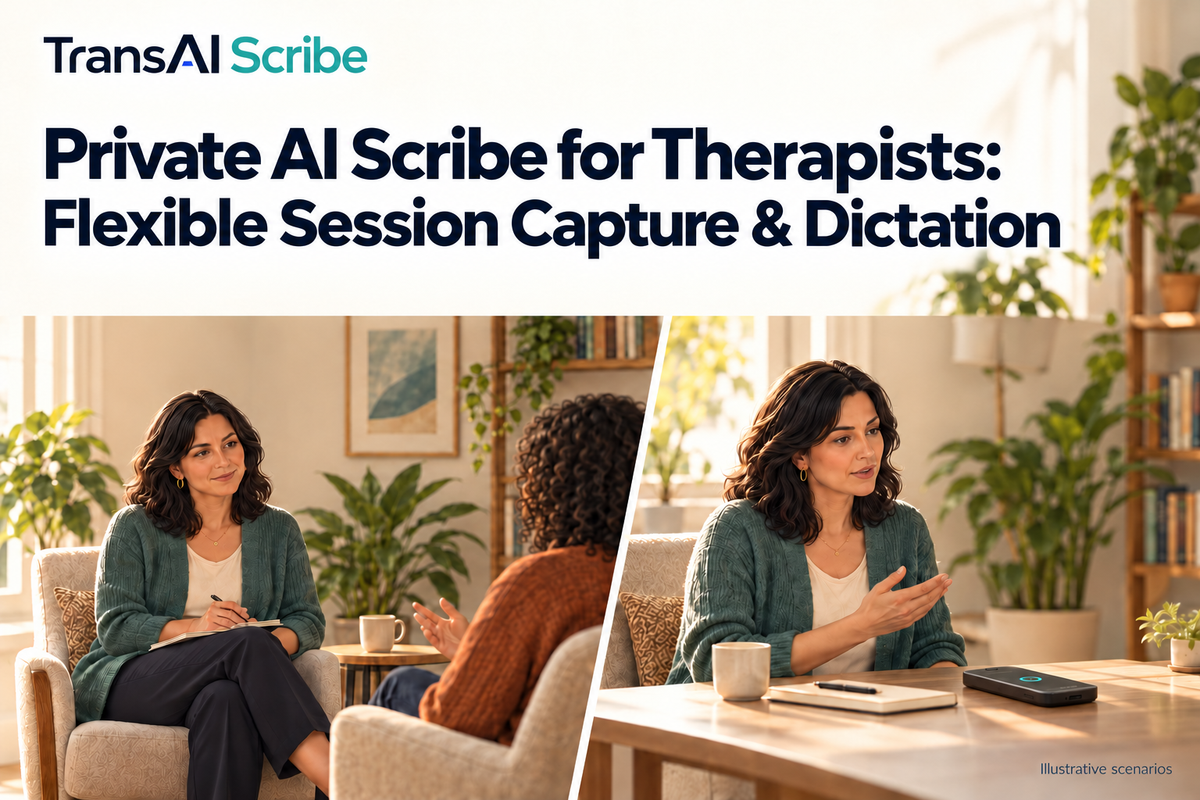
With TransAI Scribe, no. You can record a session with explicit client consent, or dictate your own recap afterward. Either input can become a structured note draft.
These routes start with different information. In-session capture uses the recorded conversation. Post-session dictation uses the details you choose to recall and say aloud. A draft from dictation cannot recover details you leave out of that recap.
Consider a day that includes both recorded sessions and sessions you prefer to summarize afterward. Evaluate how each route fits the way you work, rather than assuming you will record every conversation.
Check in the demo: Ask to see a short fictional session example and a clinician-style recap turned into drafts. Compare the steps and the information each draft contains. Keep your practice’s consent and recording policies part of the evaluation.
2. Does the AI scribe rely on my personal phone?
TransAI Scribe records on a dedicated device. Calls and notifications on your phone do not interrupt that device’s recording.
For a therapist who uses a phone to coordinate appointments or handle other work, separating the recording task may be useful. The practical question is what you need to set up before a session and what you need to do afterward.
Check in the demo: Walk through device placement, starting and stopping capture, charging, and retrieving the draft. If you also conduct telehealth sessions, name your platform and headset so the supported audio setup can be discussed.
For a closer look at the hardware decision, read AI scribe devices versus phone recording.
3. Where is session audio processed?
TransAI Scribe runs core transcription and note generation on the device. These steps work without an internet connection and do not require session audio to be uploaded to a cloud AI service.
When assessing any tool, ask about processing, storage, retention, and export separately. Recording audio locally does not tell you where transcription happens. Likewise, local note generation does not describe what happens after you transfer the finished note elsewhere.
Check in the demo: Ask the team to show which steps work offline, explain what remains after processing, and identify what leaves the device when you choose to export. Confirm the settings and transfer method that apply to your setup.
Our guide to therapy-session recording privacy explores the audio-to-note data path in more detail.
4. Can it follow my preferred note format?
TransAI Scribe supports SOAP, DAP, and custom templates. Each output is a draft for clinician review and editing.
A familiar heading is only part of the test. Bring the sections you use and inspect whether the draft organizes information in a way you can work with. Check its level of detail, wording, and treatment of the plan. Identify what you would correct, remove, or add before using it.
Check in the demo: Use a blank template and a fictional example. Ask to see the draft in your preferred structure, then walk through an edit. If you need different versions for different purposes, discuss that requirement specifically rather than assuming one template covers both.
For a more detailed review checklist, see what to review in an AI therapy-note draft.
5. How do reviewed notes reach my record system?
TransAI Scribe supports copying or exporting notes through supported methods. The available path for your setup should be reviewed during the demo. Copy and export are distinct from direct EHR integration.
Follow the example beyond draft generation. Check how the text reaches the destination, whether its headings and spacing remain useful, and which steps you still complete manually. A readable draft and an easy transfer are separate things to evaluate.
Check in the demo: Name your EHR or other record system. Ask which transfer method is supported, what equipment or connection it needs, and how you would put a reviewed example into the correct fields. Treat compatibility that has not been demonstrated as an open item.
A simple checklist for your AI scribe demo
For each of the five questions, record one of three outcomes:
- Demonstrated: You saw the step work in the relevant setup.
- Needs checking: A template, audio configuration, or transfer method still needs validation.
- Does not fit: A required step is unsupported or adds work you cannot accommodate.
After the demo, note the edits and transfer steps the fictional example required. This creates a practical basis for a pilot discussion. It also separates what you observed from what you still need to test.
Bring the way you take notes
TransAI Scribe is the private AI scribe for real-world care. For mental health practices, evaluating fit starts with three things:
- Your note format: SOAP, DAP, or a blank version of the sections you use.
- Your record system: The name of your EHR or other documentation destination.
- Your capture method: How you currently record or recap in-person and remote sessions.
Use fictional examples rather than client records for the demonstration. Explore TransAI Scribe for mental health, then bring your questions to a demo. We will walk through what Scribe supports and what needs checking for your practice.

Dejar un comentario
Todos los comentarios se revisan antes de su publicación.
Este sitio está protegido por hCaptcha y se aplican la Política de privacidad de hCaptcha y los Términos del servicio.