
Conference note-taking with slides can pull your attention in three directions. You photograph the projected screen, check whether a translation app caught the last sentence, and glance down to confirm that a recorder is still running. Meanwhile, the speaker is explaining the point you came to hear.
A useful conference record needs more than a folder of slide photos. It should help you revisit what appeared on screen, what the speaker said about it, and what you need to follow up afterward. The practical goal is to set up capture responsibly before the talk, operate fewer tools during it, and review the result while the ideas are still fresh. Here is a way to think through those steps.
Why are photos of presentation slides incomplete notes?
A slide shows the visual material, but the speaker often supplies its meaning. A diagram may show several connections while the talk explains which connection is being tested, why it matters, or what remains uncertain. A photo preserves the diagram; it does not automatically preserve that explanation.
Audio alone has a similar gap. In an illustrative conference talk, a presenter might point to a chart and say, “This is where we changed the plan.” A transcript can preserve the sentence, but without the chart you may not know which part “this” refers to when you read it later.
That is why the slide and the spoken discussion are more useful together. You can return to the visual and the explanation instead of trying to reconstruct the connection from separate files after the event.
What should a useful conference record contain?
Think of a conference note in three parts:
- What was shown. Keep a readable view of the relevant projected slide, chart, or diagram when capture is permitted.
- What was said about it. Preserve the speaker’s explanation and, when the talk crosses languages, the translation you need to review it.
- What you need to do with it. Mark the question, idea, or next step that made the presentation relevant to your work.
The third part is a judgment you make after listening. A recording can help you check details, but it cannot decide which claim matters to your team or whether the speaker’s interpretation is correct. Keeping the visual and spoken sources together gives you a better starting point for that review.
How can you spend less time managing tools during the talk?
Start before the speaker begins. Check the event’s photography and recording rules, choose a seat with a clear view of the screen, and confirm that your capture device shows the expected recording state. If translation matters, check that the language you need is supported for the intended use. Room layout, amplification, projection quality, and distance can all affect what will be captured; test the setup when you can.
During the session, focus on the speaker’s argument. Note the moment that changes your understanding or raises a question. Avoid turning each new slide into a cue to reach for your phone. The point of a capture setup is to reduce repeated operation, so you can follow the presentation as it unfolds.
Afterward, check the source material. Review the relevant slide with the transcript or translation. Verify names, numbers, and technical terms before sharing notes or acting on them. Add your own conclusion and follow-up question while you still remember why the point mattered.
How does TransAI Note bring slides and discussion together?
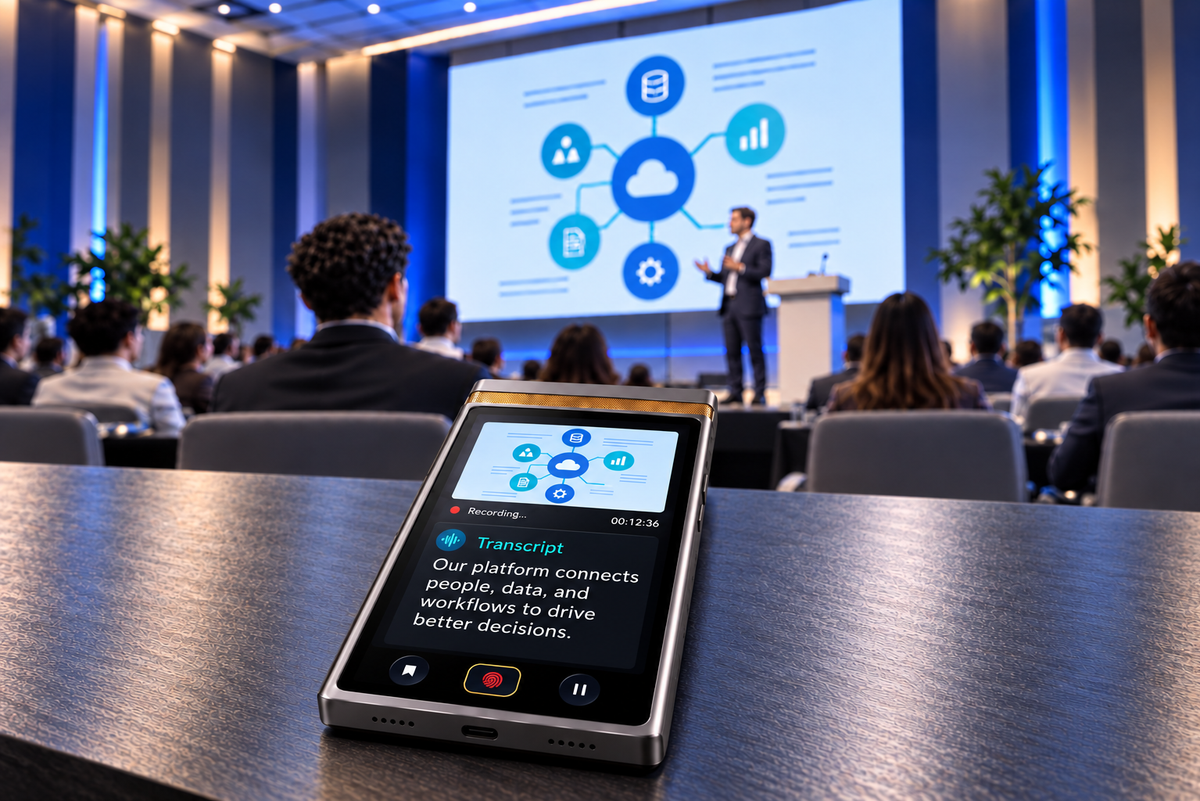
TransAI Note is a private AI notetaker for in-person meetings. Placed on a table with a view of the presentation, its 50MP wide-angle camera can capture slides and projected content while the device captures voices across the room. Transcription and translation preserve the spoken discussion, and the visual content stays in the same meeting record.
For a conference attendee, that means fewer separate tools to check while a talk is in progress. You can revisit the slide and the discussion it prompted without assembling a sequence of phone photos and audio files by hand. Its core AI processing is designed to run on the device; the value in this setting is that more of the presentation can be captured while your attention stays with the speaker.
The quality of any recording or visual capture depends on the setting. A distant speaker, a dark projection, or an obstructed screen still calls for a practical check. TransAI Note provides a way to capture the material together; you remain responsible for reviewing what it produced.
What should you verify before relying on the notes?
Use a short review after the session:
- Can you read the slide or diagram that matters most?
- Does the transcript reflect the speaker’s explanation of that visual?
- If you used translation, do the critical names and claims still make sense when checked against the source?
- Have you separated what the presenter actually said from your own interpretation and next steps?
This review is especially useful when you plan to share a summary with colleagues who were not in the room. It keeps a clear path from the original presentation to the takeaway you pass along.
Bring the idea back, not just the files
The best conference note lets you explain an idea after the room has emptied: what the speaker showed, what they meant, and why your team should care. Capturing slides alongside speech helps preserve that context. Spending less time operating your tools gives you more attention to understand it in the first place.
See how TransAI Note works in an in-person setting.

留言
所有留言在發布前都會經過審核。
此網站已受到 hCaptcha 保護,且適用 hCaptcha 隱私政策以及服務條款。