

For many high-performing teams, the whiteboard remains one of the most useful tools for thinking together. A few boxes, arrows, and questions give everyone something to examine, challenge, and improve as a conversation unfolds. Capturing that visual content alongside the discussion helps meeting notes preserve both the decision and the context needed to understand it.
Nvidia CEO Jensen Huang offers a telling example. In its coverage of The Nvidia Way, DIGITIMES describes how Huang uses whiteboards to work through ideas during business discussions. He adds his thinking as colleagues contribute, then uses the board to clarify takeaways, direction, and responsibilities. Read about Huang’s whiteboard-led meetings.
The appeal is easy to recognize. When an idea is visible, the whole room can help shape it. Someone spots a missing connection. Someone else questions an assumption. The plan changes in front of the people who will carry it out.
But once the board is cleared, much of that thinking can disappear.
Why Whiteboards Matter in Team Discussions
A whiteboard gives a team a shared reference point. People can point to the same detail, draw an alternative, and see how one change affects the rest of the plan.
In a product review, a diagram might reveal a dependency that changes the release plan. In a strategy discussion, two columns might help the team compare priorities. In a planning session, a question beside a task might expose something that needs to be resolved before work can begin.
The marks on the board carry meaning that may never be fully spoken aloud. “This needs to happen first” makes sense to everyone in the room because they can see the arrow. A colleague reading those words a week later may have no idea what “this” refers to.
Why a Whiteboard Photo and a Transcript Work Better Together
A photo preserves the board at one moment. A transcript preserves the discussion. Reviewing both together helps explain what the team was examining and why it reached a decision.
At the end of a useful meeting, the board may hold a diagram, a revised plan, and a few unresolved questions. Someone takes a photo before the next team arrives. The discussion lives in a transcript or in participants’ memories. Bringing those pieces together afterward becomes another task.
Consider an illustrative product-review example: a team sketches a customer’s path from checkout to account access. An engineer flags a billing dependency. The group discusses what could go wrong and assigns someone to investigate.
| Part of the record | What it helps explain |
|---|---|
| Whiteboard capture | The billing dependency the team was examining |
| Transcript | Why the dependency raised a concern |
| Decision and action summary | What the team agreed to investigate and who owns the follow-up |
Separated, each tells only part of the story. Together, they give the team a record it can return to when the question comes up again.
How TransAI Note Brings Whiteboards into Meeting Notes
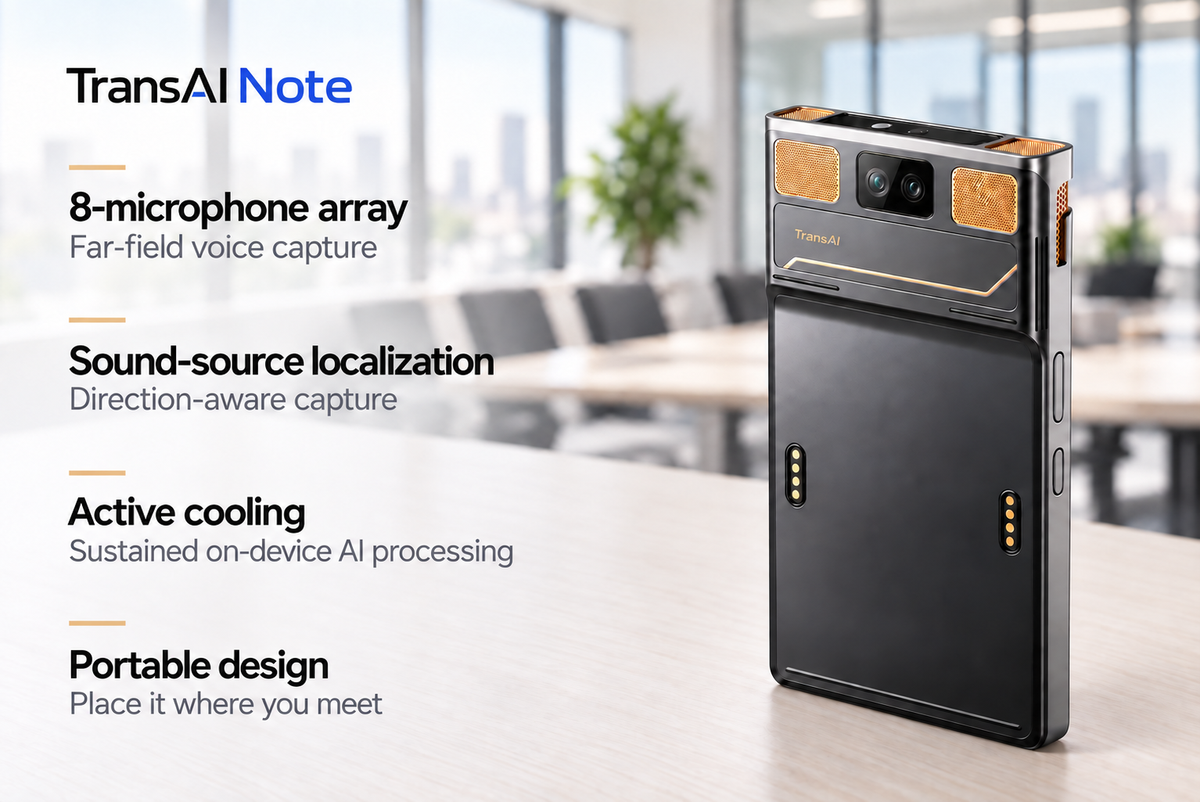
TransAI Note is the private AI notetaker for in-person meetings. It brings voices, whiteboards, decisions, and action items into one useful record.

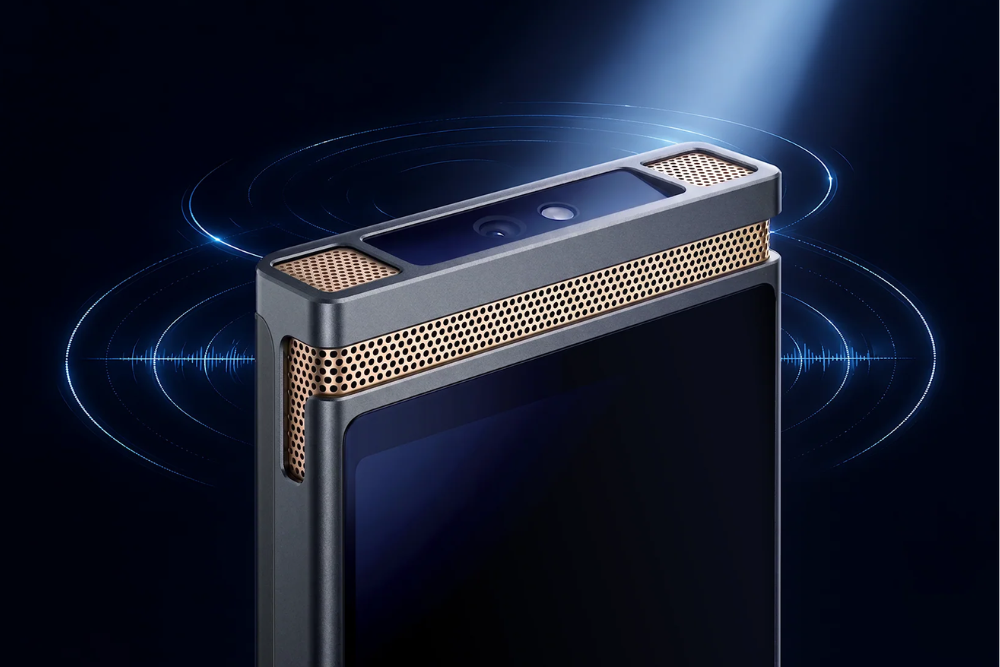
TransAI Note uses a 50MP wide-angle camera to automatically capture whiteboards and projected content alongside the conversation. It then brings the visual content and transcript together in one meeting note, with an AI-generated summary of key insights, decisions, and action items.
The captured diagram stays in the same record as the discussion it helped shape. A projected slide can remain available alongside the questions it raised. Teams have both the visual material and the transcript to consult when reviewing the summary.
No one needs to pause the discussion, take out a phone, and photograph the board. People can stay with the conversation, knowing the captured visuals will be available to revisit afterward.
How Visual Context Helps Teams Review Decisions and Next Steps
Keeping visual content and the transcript together gives teams a common reference when they need to understand a decision or confirm what happens next.
A participant checks why the team chose one approach. A colleague who missed the meeting looks at the diagram while reading the discussion. A project owner reviews the next steps before the team meets again.
TransAI Note’s structured summaries can include decisions, owners, action items, risks, and open questions, giving the team a clear set of points to review and confirm.
The record also helps when new information changes the plan. Teams can revisit the original context, reconsider an assumption, and understand what needs to change.
Keep Sensitive Meeting Content under Your Control
A whiteboard may contain a product roadmap, technical design, or business plan. Capturing that material makes control over the meeting content part of the same conversation.
TransAI Note runs core AI functions on the device. Those functions continue to work with Wi-Fi off, and meeting content does not need to pass through TransAI servers for that processing.
This is central to TransAI’s approach to private AI note-taking: capture relevant context, turn it into useful notes, and help teams maintain greater control over sensitive conversations.
Let the Thinking Last beyond the Meeting
Whiteboards help teams work through ideas together. Meeting notes should help them carry that thinking forward.
By bringing captured visuals, the transcript, and an AI summary into one meeting note, TransAI Note keeps more of the meeting available after everyone leaves the room.
The destination matters. So does the thinking that shaped the route.

发表评论
所有评论在发布前都会经过审核。
此站点受 hCaptcha 保护,并且 hCaptcha 隐私政策和服务条款适用。